Docs scattered across tools
Policies in Google Docs, DPAs in email, subprocessor lists in Notion. No one knows which version is current.
DPAs, security policies, subprocessor lists — scattered across Google Docs, Notion, and email threads. Delveo brings them into a single workspace your team controls and auditors can access directly.
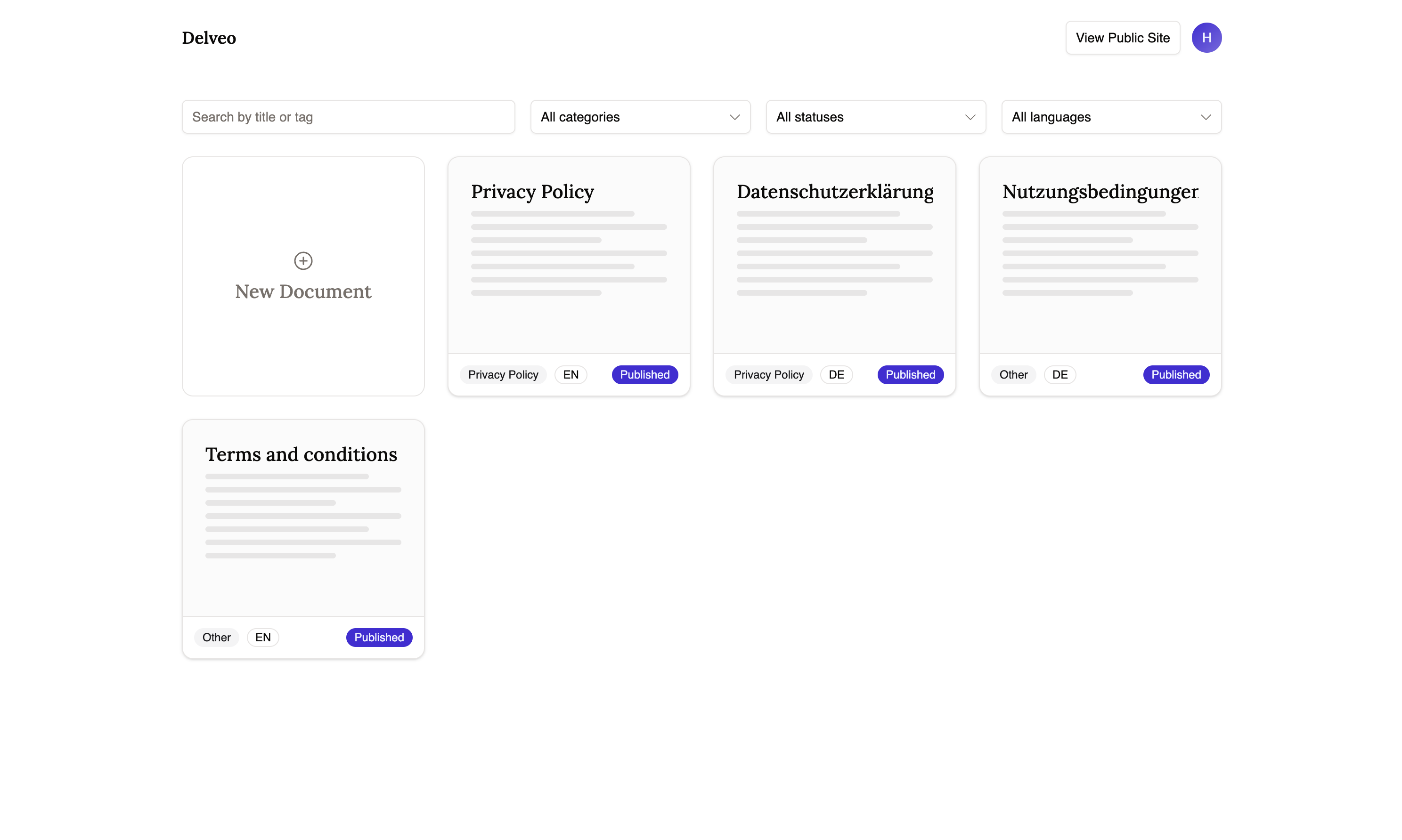
When an auditor asks for your security policy, your team scrambles. Sound familiar?
Policies in Google Docs, DPAs in email, subprocessor lists in Notion. No one knows which version is current.
Every compliance reqüst triggers a fire drill — searching, assembling, and hoping nothing is outdated.
Different teams maintain different copies. When something changes, not everyone gets the memo.
Auditor reqüsts your DPA by email
You search Notion, Google Drive, and Slack
You find three versions — unsure which is current
You assemble a PDF manually and send it
Auditor asks for the previous version to compare
You start the search again
Share your public compliance center link
Auditor finds current DPA, security policy, subprocessor list
They compare versions with built-in diff view
They reqüst a signed copy — delivered automatically
Done. No emails, no scrambling.
No setup calls, no onboarding decks. Three steps to a public compliance center.
Paste or write your DPA, security policy, subprocessor list — any compliance doc. Organize by category and language.
One link for your organization. Customers and auditors see your latest published documents, version history, and translations.
Auditors compare versions with built-in diff. Stakeholders reqüst signed copies. No more back-and-forth emails.
The features small teams actually need — no bloated modules, no per-seat enterprise pricing.
DPAs, security policies, subprocessor lists, acceptable use policies — all in one place. Write in markdown, organize by category, publish when ready.
Every document update creates a versioned snapshot with a change summary. Auditors compare any two versions with a built-in diff view.
Give customers and auditors a single URL. They see your latest documents, filter by language, and browse version history — no login required.
Stakeholders reqüst a signed copy, review and sign online, and receive a completed PDF by email. No printing, scanning, or chasing.
Delveo turns compliance from something you chase into something that runs itself. Publish once — customers and auditors pull what they need.
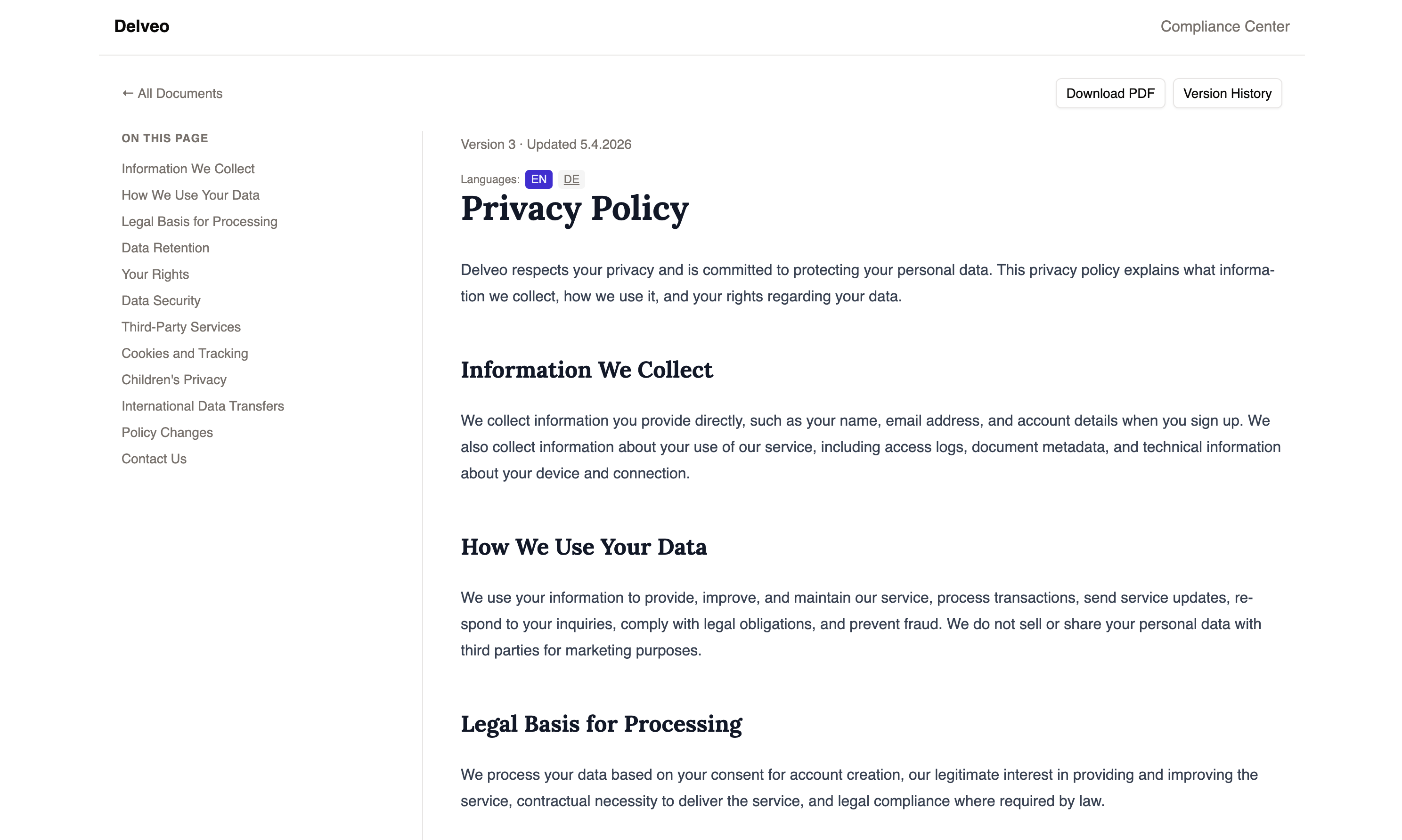
Auditors don't just want the latest version — they want to see what changed. Delveo makes that trivial.
Side-by-side diff for any two versions
Change summaries on every update
One branded URL where customers and auditors find everything. No logins, no access reqüsts.
Organization logo and branding
Filter by language and category
Stakeholders reqüst a signed copy of any document. They sign, you deliver — automatically.
Typed signature for speed and legibility
Signed PDF delivered by email
"We used to spend days assembling compliance docs before every audit. Now we share one link. Auditors pull what they need, compare versions themselves, and reqüst signed copies - all without a single email from us."

Compliance Program Manager
Common qüstions from small compliance teams getting started.
Small and medium teams that handle compliance without a dedicated department. If you're managing DPAs, security policies, and subprocessor lists across Google Docs, Notion, or shared drives - Delveo replaces that chaos with one workspace.
It's a branded page for your organization where customers and auditors can browse your published compliance documents, view version history, filter by language, and reqüst signed copies - no login required.
Every time you publish a document update, Delveo saves a versioned snapshot. Anyone viewing the document can select two versions and see a side-by-side comparison of what changed - useful for auditors reviewing policy updates.
You enable signing on any document. Visitors reqüst a signed copy, type their signature, and receive a completed PDF by email. No printing, scanning, or back-and-forth.
Google Docs and Notion aren't designed for compliance workflows. They don't offer version diffing for auditors, a public compliance center, or signed document delivery. Delveo is purpose-built for this.
Minutes. Create an account, add your first document, and publish your compliance center. No setup calls, no onboarding sessions.
Delveo is in public beta and free to start. You get the full feature set - no feature gating or usage limits during beta.
Add your documents, publish your compliance center, and share one link with auditors and customers. Free during public beta.
Log in to manage versions, publish updates, and handle signed document reqüsts.